Car Booking
In this section, the Vendor can view the complete list of car's booking.
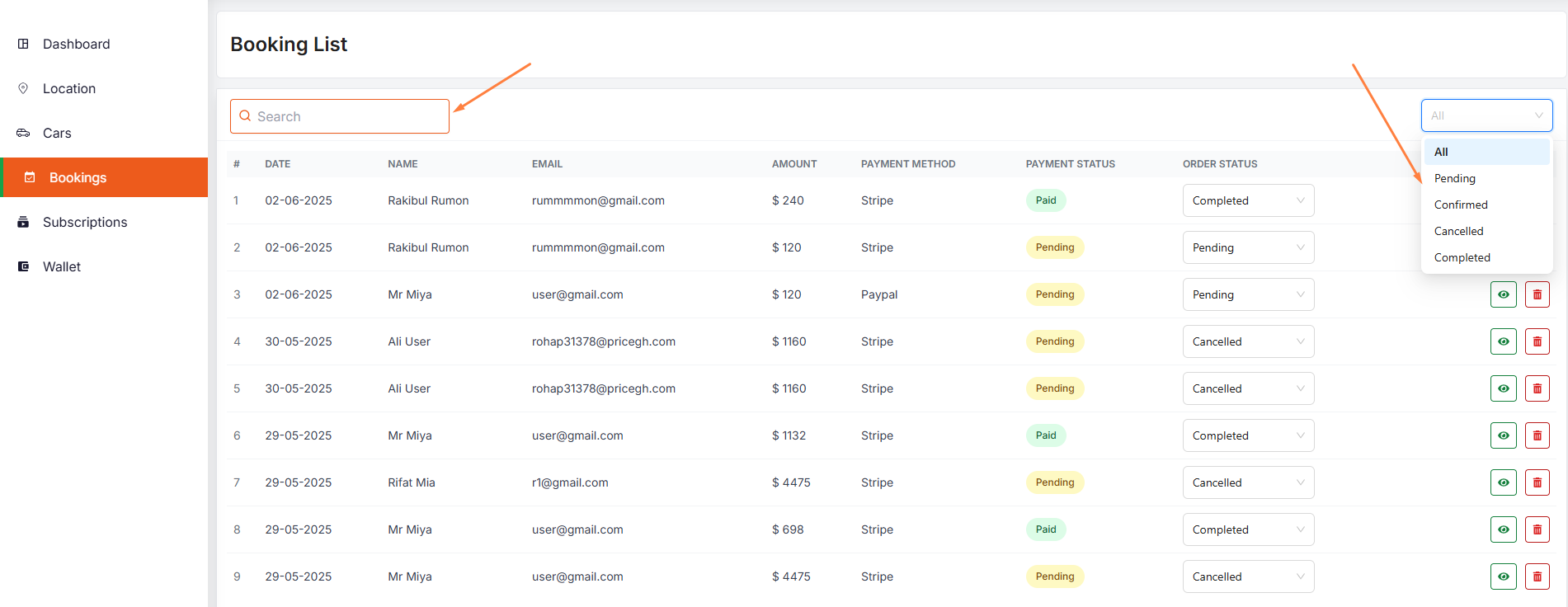
- Vendor can search a specific booking by using the search bar.
- Vendor can filter the booking by using the Filter drop down menu like pending, cancelled, confirmed, completed.
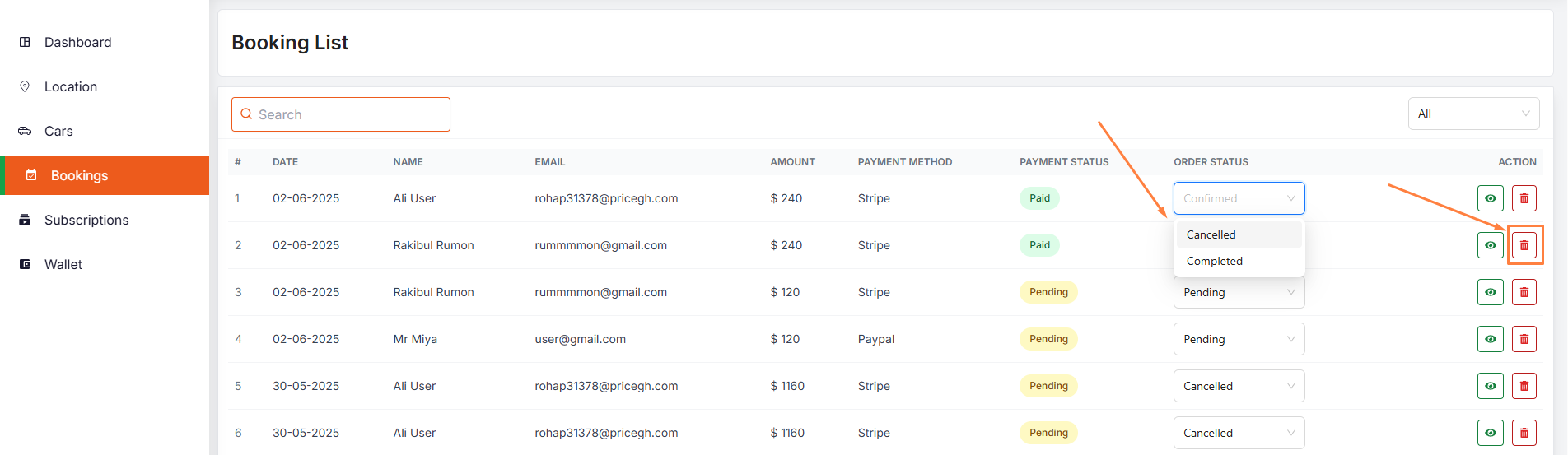
- Vendor can change the status of the booking by using the Booking Status drop down menu like pending, cancelled or confirmed, completed.
- Vendor can delete the booking by using the Delete button.
- Initially the booking status will be confirmed if payment is paid, otherwise it will be pending.